Conway's Game of Life using SFML in C++ with multidimensional discrete convolutions
Mon Jul 24 2023John Conway’s Game of Life is a cellular automaton created by mathematician John Conway in 1970. Despite simple rules, it can exhibit complex and humbling behaviour, making it a simple and fun topic of exploration, particularly in the subject of simulation, visualisation, and optimization through parallelization.
This post looks at a simple naïve implementation of the game and then a slightly more optimized version via convolutions and compares the speed of the two solutions. I used C++ and the SFML library to render the result, which adds a layer of complication if you’re not familiar with the library (using Python’s MatPlotLib with SciPy is probably much simpler, but I felt like working with SFML today).
You can view my code on my GitHub here: game-of-life-sfml.
Conway’s Game of Life
Conway’s Game of Life operates on a grid of cells, where each cell can be either alive or dead. The game evolves in discrete generations based on four simple rules:
- Any live cell with fewer than two live neighbors dies, as if by underpopulation.
- Any live cell with two or three live neighbors lives on to the next generation.
- Any live cell with more than three live neighbors dies, as if by overpopulation.
- Any dead cell with exactly three live neighbors becomes a live cell, as if by reproduction.
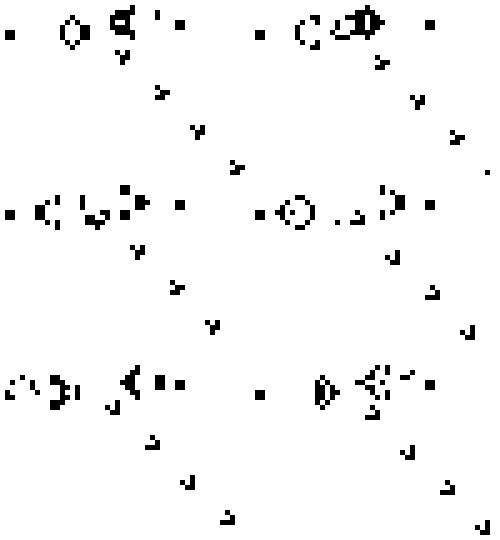
Pictured above is a single Gosper’s glider gun creating gliders.
Discrete 2D convolution
A naïve approach to coding the problem would likely involve iterating over each individual cell in the grid, and then serially interrogating the status of its surrounding neighbours, resulting in an ungodly amount of looping. Instead, convolutions allow us to use a sliding-window over each cell to parallelize the calculation. In this, a 3x3 kernel matrix is created with the value:
which will act as our sliding-window.
Then, given a sample 6x6 map (displaying the humble glider) as the following matrix:
The kernel will ‘slide’ over each element in the map matrix, where the updated value of the pivot element in the next iteration of the game is the sum of the products of each overlaying cell, where an out-of-bound kernel cell is treated as 0.
A simple illustration of a kernel convolution is shown below.
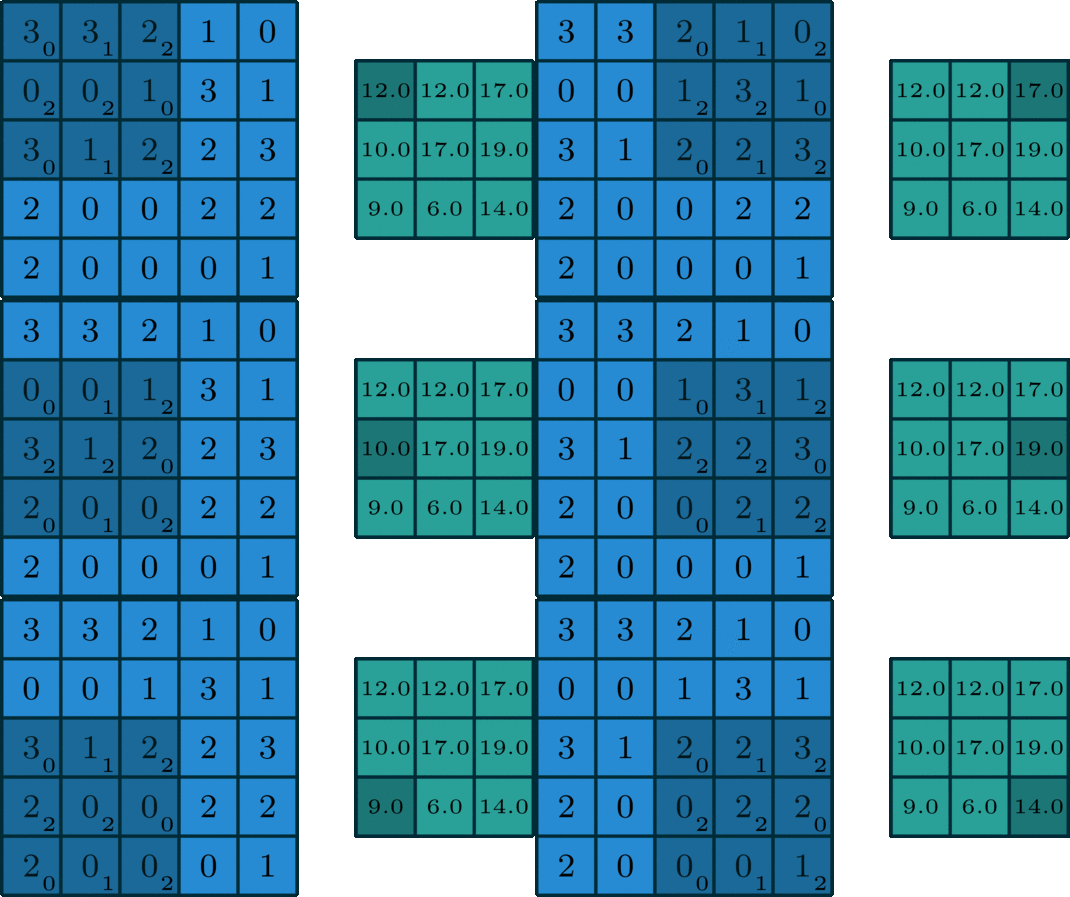
(Retrieved from https://blog.paperspace.com/ghostnet-cvpr-2020/)
Thus, after one game iteration given the above starting grid, the result is the following:
Implementation in C++
In C++, implementing this was as simple as creating the following Game class definition:
constexpr int ALIVE = 1;
constexpr int DEAD = 0;
const int GameSize = 30;
const int Cols = GameSize;
const int Rows = GameSize;

class Game {
public:
    Game(float gameSpeed = 1.0);
    float getGameSpeed();
    void setGameSpeed(float gameSpeed);
    int at(int row, int col);
    void step();
    void setState(std::array<std::array<int, Cols>, Rows> state);
    bool isPaused();
    void setPaused(bool value);
private:
    bool paused;
    float gameSpeed;    // frequency: game-steps per second
    std::array<std::array<int, Cols>, Rows> map;
};
Where we’ve defined the size of the game to be 30x30. Our entire game state is represented in the private map field, which is an array of arrays of integers.
Most of the class implementation details are simple getters and setters, so really, the only important method here is the step method, which is shown below.
void Game::step() {
    auto nextState = map;
    auto kernel = makeKernel();
    for (auto y = 0; y < Rows; y++) {
        for (auto x = 0; x < Cols; x++) {
            auto neighbours = convolve(kernel, map, y, x);
            if (nextState[y][x] == ALIVE && neighbours != 2 && neighbours != 3) {
                nextState[y][x] = DEAD;
            } else if (map[y][x] == DEAD && neighbours == 3) {
                nextState[y][x] = ALIVE;
            }
        }
    }
    map = nextState;
}
This makes use of two extra functions, makeKernel and convolve, which are shown below. At a high level (without implementation details), the makeKernel function returns the kernel object as an array of arrays of integers, equalling:
as shown earlier, and the convolve function summates the product of the overlapping cells, and the return value is the number of ‘alive neighbours’ the pivot cell has. This number of neighbours, as described in the game’s rules, dictates if this pivot point is alive or dead in the next iteration.
std::array<std::array<int, 3>, 3> makeKernel() {
    return std::array<std::array<int, 3>, 3> {{
        { 1, 1, 1 },
        { 1, 0, 1 },
        { 1, 1, 1 }
    }};
}

int convolve(std::array<std::array<int, 3>, 3> kernel, std::array<std::array<int, Cols>, Rows> map, int pivotRow, int pivotCol) {
    // convolves a kernel over a pivot point in the map, accounting for out-of-bound position
    std::array<std::array<int, 3>, 3> slice{ {
        { pivotRow == 0 || pivotCol == 0 ? 0 : map[pivotRow - 1][pivotCol - 1], pivotRow == 0 ? 0 : map[pivotRow - 1][pivotCol], pivotRow == 0 || pivotCol == Cols - 1 ? 0 : map[pivotRow - 1][pivotCol + 1] },
        { pivotCol == 0 ? 0 : map[pivotRow][pivotCol - 1], map[pivotRow][pivotCol], pivotCol == Cols - 1 ? 0 : map[pivotRow][pivotCol + 1] },
        { pivotRow == Rows - 1 || pivotCol == 0 ? 0 : map[pivotRow + 1][pivotCol - 1], pivotRow == Rows - 1 ? 0 : map[pivotRow + 1][pivotCol], pivotRow == Rows - 1 || pivotCol == Cols - 1 ? 0 : map[pivotRow + 1][pivotCol + 1] }
    } };

    int neighbours = 0;
    for (auto y = 0; y < 3; y++) {
        for (auto x = 0; x < 3; x++) {
            neighbours += slice[y][x] * kernel[y][x];
        }
    }

    return neighbours;
}
Then, in terms of drawing the game, I have a simple function that draws the state to the screen using SFML.
void draw_game_state(sf::RenderWindow& window, gol::Game& game) {
    sf::RectangleShape cell(sf::Vector2f(CellSize, CellSize));

    for (auto row = 0; row < gol::Rows; row++) {
        for (auto col = 0; col < gol::Rows; col++) {
            if (game.at(row, col) == gol::ALIVE) {
                cell.setPosition(sf::Vector2f(col * CellSize, row * CellSize));
                window.draw(cell);
            }
        }
    }
}
And finally, I’ve implemented some user control, where pressing [space] pauses/resumes the simulation, [up]/[down] changes the speed of the simulation, and [right] advances the simulation by a single step as long as the simulation is currently paused.
The final product is shown below. The task was ultimately simple and took around 3 hours of my morning. It was a fun, small, morning exercise in parallelization and many more optimizations could be done (including the use of the Fast Fourier Transform).
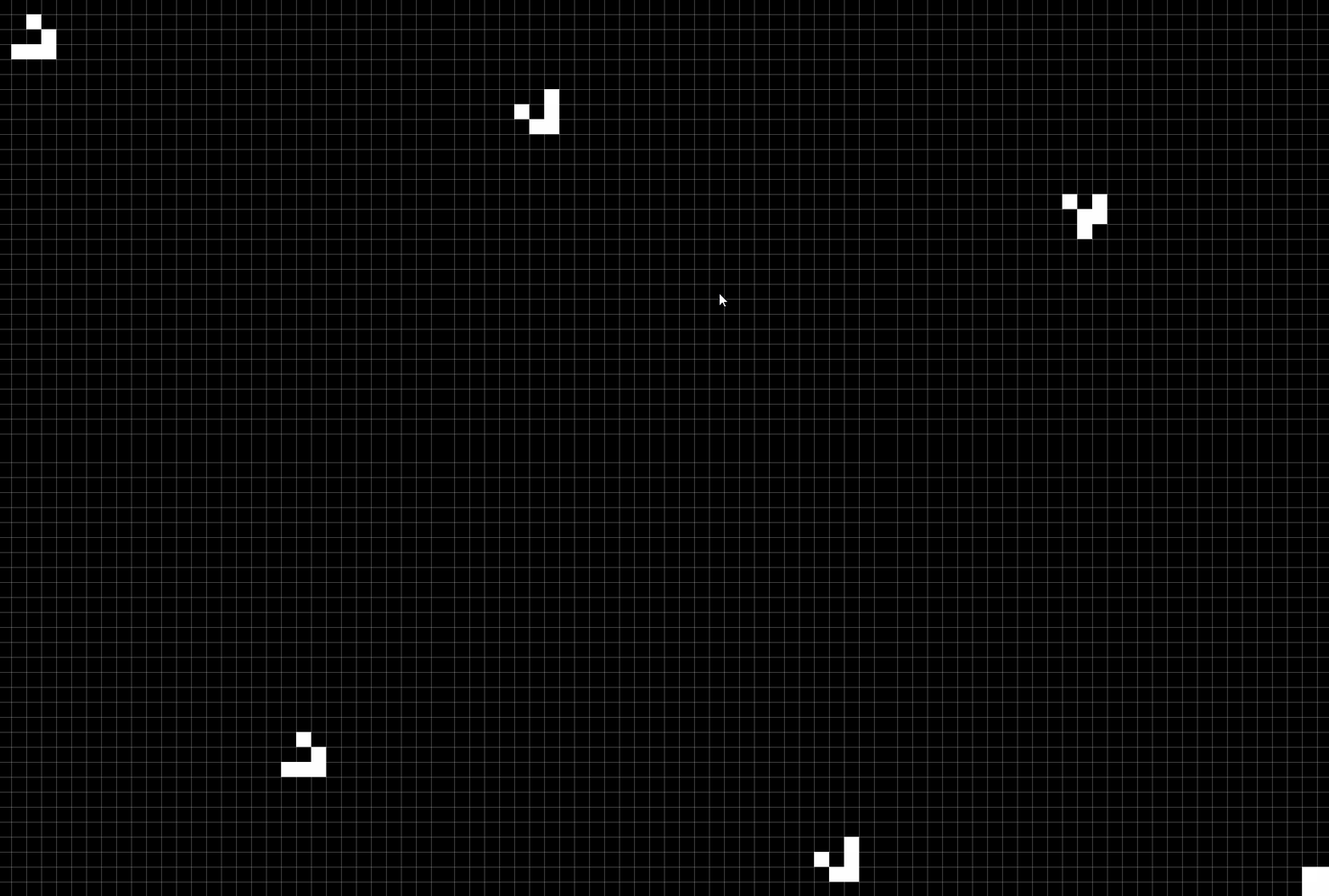
(This post is a work-in-progress, with features still being added to the simulation and the post needing to be rewritten).